
How QR Menus Improve Restaurant Order Accuracy
In a busy restaurant environment, even a small mistake in an order can affect the entire dining experience. Incorrect items, missing customizations, or misunderstood instructions often lead to wasted food, delays, and frustrated customers.
Traditional ordering methods rely heavily on verbal communication between customers, servers, and the kitchen. This process leaves room for human error, especially during peak hours.
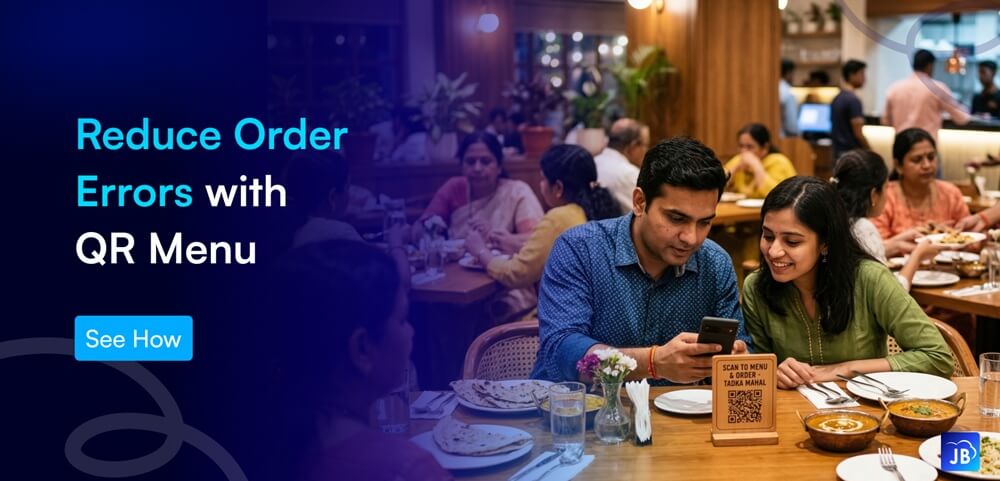
That’s why many modern restaurants are adopting QR menu systems. By allowing customers to browse menus and place orders directly from their smartphones, restaurants significantly improve QR menu order accuracy, reduce miscommunication, and streamline kitchen operations.
In this article, we’ll explore how restaurant QR menus improve order accuracy, why they’re becoming essential in the food industry, and how modern POS solutions like Just Billing help restaurants implement them effectively.
The Rise of Digital Menus in the Restaurant Industry
The restaurant industry has undergone rapid digital transformation over the past few years. Contactless dining, mobile payments, and online delivery platforms have changed how restaurants operate.
A report from hospitality technology research groups suggests that over 70% of diners now prefer digital menus or QR code menus when dining in restaurants. This shift is driven by convenience, hygiene awareness, and faster service expectations.
QR menus eliminate printed menus and introduce a mobile ordering experience where customers interact directly with the restaurant’s ordering system. When combined with a modern POS platform, the process becomes seamless, from menu browsing to kitchen preparation.
Instead of relying on manual order entry, restaurants can use restaurant QR menu systems to capture orders digitally, ensuring they are transmitted exactly as customers select them.
What Is a Restaurant QR Menu?
A restaurant QR menu is a digital menu accessed by scanning a QR code using a smartphone camera. Once scanned, customers can view the restaurant’s menu, customize items, and place orders directly from their devices.
Unlike traditional menus, QR menus can be dynamic and interactive. Restaurants can update items, prices, or availability instantly without reprinting menus.
A typical QR menu system includes:
- Digital menu interface for customers
- Item customization options (size, toppings, dietary preferences)
- Direct order transmission to POS or kitchen display
- Real-time updates for availability and pricing
When integrated with a POS system, this technology becomes a powerful self-ordering solution that reduces operational errors.
Why Traditional Ordering Often Leads to Errors
Before understanding how QR menus improve accuracy, it helps to look at where mistakes usually occur in traditional restaurant ordering.
Miscommunication Between Customers and Servers
Restaurants are noisy environments. When customers speak quickly or servers misunderstand instructions, details such as spice levels, toppings, or modifications may be recorded incorrectly.
Manual Order Entry Mistakes
Servers often take notes and later enter orders into the POS system. During busy hours, this double-entry process increases the chance of mistakes.
Complex Menu Customizations
Modern diners frequently customize orders—extra cheese, no onions, gluten-free options, and more. Managing these modifications manually can easily lead to confusion.
High Staff Workload
During peak hours, staff handle multiple tables simultaneously. Under pressure, even experienced servers can accidentally record orders incorrectly.
QR menus help remove these common sources of errors.
How QR Menus Improve Restaurant Order Accuracy
Customers Enter Orders Directly
When customers place orders themselves using a QR menu, the information goes directly into the system.
There is no intermediary communication step, which eliminates misheard or misunderstood instructions.
Customers can carefully review their order before confirming it, ensuring everything is correct.
Clear Item Descriptions and Images
Digital menus can display detailed descriptions, ingredients, and images. This clarity helps customers select the right item without confusion.
For example, instead of verbally asking about dish contents, customers can see everything clearly on the screen.
Built-In Customization Options
QR ordering systems allow customers to choose modifications directly, such as:
- spice level
- extra toppings
- dietary preferences
- add-ons
These options are structured within the system, so they are recorded precisely and sent to the kitchen.
Automatic POS Integration
When QR menus integrate with POS systems, the order flows directly to:
- Kitchen display systems
- Order printers
- Inventory systems
This eliminates manual data entry and significantly reduces mistakes.
Real-Time Menu Updates
Restaurants can instantly update digital menus.
If an item is unavailable, it can be removed or marked out-of-stock immediately, preventing incorrect orders.
Real-World Example: A Busy Restaurant Scenario
Imagine a busy weekend evening at a restaurant.
Without QR menus:
- A server takes orders from multiple tables.
- Notes are written quickly.
- Orders are entered manually into the POS.
- Kitchen staff interpret handwritten notes.
Each step introduces the possibility of mistakes.
Now consider the same restaurant using a QR ordering system.
Customers scan the QR code and place orders directly. The system sends them instantly to the kitchen display with exact instructions.
The result:
- Faster service
- Accurate customization
- Reduced workload for staff
- Higher customer satisfaction
Additional Benefits Beyond Accuracy
While improved order accuracy is the biggest advantage, QR menus also deliver several operational benefits.
Restaurants adopting QR menus often experience:
- Faster table turnover
- Reduced dependency on wait staff
- Improved customer satisfaction
- Better menu visibility and upselling opportunities
- Lower printing costs
Customers appreciate the convenience of ordering at their own pace without waiting for staff.
Best Practices for Implementing QR Menus
To maximize the effectiveness of a QR menu system, restaurants should follow a few key practices.
Design a Mobile-Friendly Menu
Menus must load quickly and be easy to navigate on smartphones.
Include Clear Images and Descriptions
Visual menus reduce confusion and help customers choose correctly.
Offer Smart Customization Options
Structured add-ons and modifiers help customers personalize orders without errors.
Integrate with POS Software
The most important factor is integration with a reliable POS system that handles order routing and kitchen display automatically.
How Just Billing Helps Restaurants Improve Order Accuracy
Modern restaurants need a system that connects ordering, payments, and operations seamlessly.
Just Billing offers a powerful restaurant POS system with QR menu capabilities designed specifically to improve operational efficiency.
Restaurants using Just Billing benefit from:
- QR Menu Platform for Contactless Ordering
Customers scan and place orders directly from their smartphones. - POS Integration for Accurate Order Processing
Orders flow directly into the POS system without manual entry. - Food Classification Options
Menu items can be categorized as Veg, Non-Veg, or Egg to avoid confusion. - Integration with Swiggy and Zomato
Online delivery orders can be managed from the same system. - Smart Payments Support
Accept cards, Stripe, PayPal, and in-store payments seamlessly. - Real-Time Profit & Loss Reporting
Track restaurant performance instantly. - WhatsApp Invoices and Payment Reminders
Improve customer communication and payment tracking.
Because Just Billing works across Windows, Android, iOS, and a centralized back office, restaurant owners can manage operations from anywhere.
Expert Insights: Why QR Ordering Is Becoming Standard
Restaurant technology experts believe QR ordering will become a standard feature across modern restaurants.
The main reasons include:
- Reduced operational errors
- Improved dining convenience
- Better staff productivity
- Increased data insights for restaurants
Restaurants that adopt digital ordering early gain a competitive advantage by delivering faster and more reliable service.
Conclusion
Accuracy in restaurant orders directly impacts customer satisfaction, operational efficiency, and profitability. Even small mistakes can lead to wasted food, delays, and negative reviews.
QR menu systems provide a practical solution by allowing customers to place their own orders digitally. This eliminates communication gaps, ensures precise customization, and connects directly with restaurant POS systems.
As restaurants continue embracing digital transformation, QR menus are quickly becoming a standard feature for modern dining experiences.
With powerful POS platforms like Just Billing, restaurants can implement QR menus seamlessly while gaining access to integrated payments, delivery management, inventory control, and real-time reporting.
The result is a smarter restaurant operation where orders are faster, more accurate, and easier to manage.
FAQ's:
A QR menu is a digital menu accessed by scanning a QR code using a smartphone. Customers can view items, customize orders, and sometimes place orders directly from their devices.
QR menus allow customers to select items themselves, eliminating miscommunication between customers and servers. Orders are sent directly to the POS system, reducing manual entry errors.
Yes. QR menus typically allow customers to add toppings, select portion sizes, or modify ingredients before placing an order.
Yes. Restaurants save money on printing menus, reduce order mistakes, and operate more efficiently with fewer manual processes.
Restaurants can adopt QR menu systems through POS software providers like Just Billing, which offer integrated QR ordering platforms.

Search for article
Popular Posts

Download Our App
Share the Post
Explore our POS Software
Retail Billing Software
Super market, Grocery, Electronics, Gift Shops & Stationery
Restaurant Billing Software
Take away, Self service, Ice cream parlor, Coffee shop, Bakery
POS for Service Business
Accountant, Lawyer, Consultant, Photographer
Join Our Newsletter
Receive the latest blog posts, industry insights & exclusive Just Billing updates directly to your inbox.