
Why Manual Delivery Order Entry Hurts Restaurant Operations
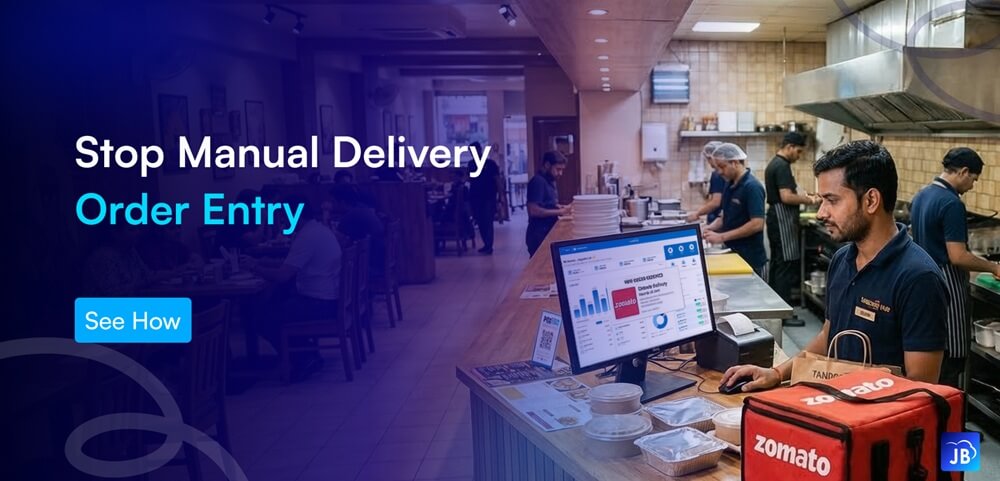
Online food delivery has transformed the restaurant industry. Platforms like Swiggy and Zomato have made it easier for restaurants to reach thousands of customers instantly. However, many restaurants still rely on manual delivery order entry, where staff read incoming delivery orders from tablets or phones and then re-enter them into the POS system.
At first glance, this process may seem manageable. But as order volumes grow, manual entry quickly becomes a bottleneck that slows operations, increases errors, and frustrates both staff and customers.
Restaurants that continue to rely on manual processes often struggle with inefficiencies that directly impact profitability. This is where POS delivery integration becomes a critical upgrade for modern restaurant operations.
The Growing Role of Online Delivery in Restaurants
The global online food delivery market has been expanding rapidly. Industry estimates suggest that over 60% of urban customers now order food online at least once a week. In markets like India, platforms such as Swiggy and Zomato dominate this space.
For restaurants, delivery now represents a significant portion of daily revenue. Many cloud kitchens and quick-service restaurants generate 40–70% of their sales through delivery apps.
However, as delivery volume increases, restaurants face a new challenge: managing multiple order streams efficiently.
Without automation, staff must constantly switch between delivery tablets and POS systems. This is where manual workflows start creating operational stress.
What Is Manual Delivery Order Entry?
Manual delivery order entry occurs when restaurants receive orders from delivery apps and manually input them into the POS system.
A typical process looks like this:
- A new order arrives on a Swiggy or Zomato tablet.
- Staff reads the order details.
- The order is typed manually into the POS system.
- The kitchen receives the printed ticket.
While the process seems simple, it introduces multiple points of failure.
As delivery volume grows, this manual process becomes inefficient, error-prone, and difficult to manage.
The Hidden Problems with Manual Delivery Order Entry
1. Increased Order Errors
Human error is one of the biggest risks of manual order entry. Staff may accidentally select the wrong item, miss customizations, or enter incorrect quantities.
Even a small mistake can lead to:
- Wrong items delivered
- Customer complaints
- Refunds and negative reviews
Studies suggest that manual order processing can increase order errors by up to 20% in busy restaurants.
When orders are automatically synced through POS delivery integration, the exact order details flow directly into the POS and kitchen system without manual typing.
2. Slower Kitchen Workflow
In a fast-paced kitchen environment, timing matters. Manual order entry delays the moment when the kitchen receives the order.
Even a delay of 1–2 minutes per order can create a backlog during peak hours.
For example, if a restaurant receives 50 delivery orders during dinner rush, manual entry could add nearly an hour of unnecessary processing time across the workflow.
Automated integration eliminates this delay entirely by sending orders directly to the POS and kitchen display system.
3. Staff Overload During Peak Hours
Restaurant staff already manage multiple responsibilities: handling dine-in customers, managing payments, and coordinating deliveries.
Adding manual order entry to their workload increases stress and reduces efficiency.
During busy periods, employees may struggle to keep up with incoming delivery orders, leading to:
- Missed orders
- Delayed preparation
- Operational chaos
Automation allows staff to focus on food quality and customer service instead of repetitive data entry tasks.
4. Poor Order Tracking and Reporting
Manual order entry also creates problems in reporting and analytics. When orders are entered incorrectly or inconsistently, restaurant managers struggle to get accurate insights.
Reliable reporting is essential for understanding:
- Top-selling menu items
- Delivery platform performance
- Revenue breakdowns
- Operational efficiency
With POS delivery integration, every delivery order is recorded automatically in the system, providing clear and accurate business insights
5. Higher Risk of Missed Orders
Another common issue is completely missed orders. When staff are busy, they may overlook new delivery notifications.
A missed order leads to:
- Delayed preparation
- Order cancellations
- Platform penalties
- Negative customer ratings
Integrated systems ensure that every order is captured instantly and processed without delay.
How POS Delivery Integration Solves These Problems
POS delivery integration connects restaurant POS systems directly with delivery platforms like Swiggy and Zomato.
Instead of manually entering orders, the system automatically syncs incoming delivery orders with the POS.
Here is how the process works:
- Customers place an order on Swiggy or Zomato.
- The order automatically appears in the POS system.
- The kitchen receives the ticket instantly.
- Sales and inventory update automatically.
This automation removes the need for manual order entry and significantly improves operational efficiency.
Key Benefits of POS Delivery Integration
Faster Order Processing
Automated order syncing eliminates the time spent entering orders manually. Orders go directly to the kitchen, reducing preparation delays.
Improved Order Accuracy
Automation removes human typing errors. Item details, modifiers, and quantities sync exactly as placed by the customer.
Streamlined Staff Workflow
Staff no longer need to monitor multiple tablets. Orders flow into a single POS system, simplifying restaurant operations.
Better Financial Reporting
Integrated POS systems automatically track delivery sales, making reporting more accurate and easier to manage.
Real-Time Inventory Updates
Because orders sync automatically, ingredient usage updates instantly in the POS system.
This improves stock accuracy and purchasing decisions.
Real-World Example: A Busy Quick Service Restaurant
Consider a busy quick-service restaurant receiving 200 delivery orders per day.
Without POS integration:
- Staff manually enters every order
- Average entry time per order: 30–45 seconds
- Total daily manual entry time: nearly 2 hours
During peak hours, these delays create order queues and customer complaints.
After implementing POS delivery integration, orders flow automatically into the system. Staff can focus entirely on preparation and service.
The result is faster delivery times, fewer mistakes, and smoother operations.
Best Practices for Restaurants Handling Online Orders
Restaurants looking to improve delivery order management should focus on automation and integration.
Start by ensuring that your POS system supports delivery platform integration. The system should automatically sync orders, menu items, and pricing.
It is also important to maintain accurate menu configurations so that delivery platforms match the POS system.
Additionally, restaurants should review operational reports regularly to track performance across different delivery channels.
Finally, staff training plays a key role. Even with automation, employees should understand how integrated systems work and how to monitor order flow effectively.
How Just Billing Solves Manual Delivery Order Entry
Modern restaurants require POS systems that support fast, automated order management across multiple channels.
Just Billing provides seamless POS delivery integration with Swiggy and Zomato, eliminating the need for manual order entry.
Orders from delivery platforms automatically sync with the POS, allowing restaurants to manage dine-in, takeaway, and delivery from a single system.
With Just Billing, restaurants benefit from:
- Automatic Swiggy and Zomato order integration
- Real-time sales and profit tracking
- QR menu for contactless ordering
- Smart payment processing with multiple payment options
- Inventory and stock management
- WhatsApp invoice sharing and automated reminders
The system is designed to support modern restaurants that need speed, accuracy, and operational control.
Conclusion
Online food delivery has become a major revenue channel for restaurants, but managing these orders manually creates operational challenges.
Manual delivery order entry leads to errors, delays, staff overload, and inaccurate reporting. As order volumes grow, these issues become even more difficult to manage.
Restaurants that invest in POS delivery integration gain a significant advantage. Automated order processing improves accuracy, speeds up kitchen workflow, and creates a more reliable customer experience.
Solutions like Just Billing POS make it easier for restaurants to integrate delivery platforms, streamline operations, and focus on what matters most—serving great food and delighting customers.
FAQ's:
Manual delivery order entry is the process where restaurant staff manually copy order details from delivery platforms like Swiggy or Zomato into the POS system.
Yes. Since orders are automatically synced from delivery platforms, the chances of human errors are significantly reduced.
Many POS systems integrate with major platforms such as Swiggy, Zomato, Uber Eats, and other online food delivery services.
Yes. Just Billing integrates with platforms like Swiggy and Zomato, allowing restaurants to manage delivery orders automatically within the POS.
Restaurants can adopt modern POS systems like Just Billing that offer built-in integrations with delivery platforms and automated order management.
Search for article
Popular Posts
Download Our App
Share the Post
Explore our POS Software
Retail Billing Software
Super market, Grocery, Electronics, Gift Shops & Stationery
Restaurant Billing Software
Take away, Self service, Ice cream parlor, Coffee shop, Bakery
POS for Service Business
Accountant, Lawyer, Consultant, Photographer
Join Our Newsletter
Receive the latest blog posts, industry insights & exclusive Just Billing updates directly to your inbox.