
How QR Menus Reduce Staff Dependency and Costs
Restaurants today are under constant pressure to deliver faster service while managing rising operational costs. Labor shortages, increasing wages, and unpredictable peak-hour demand make it challenging to maintain efficiency without overstaffing.
This is where QR menus are changing the game.
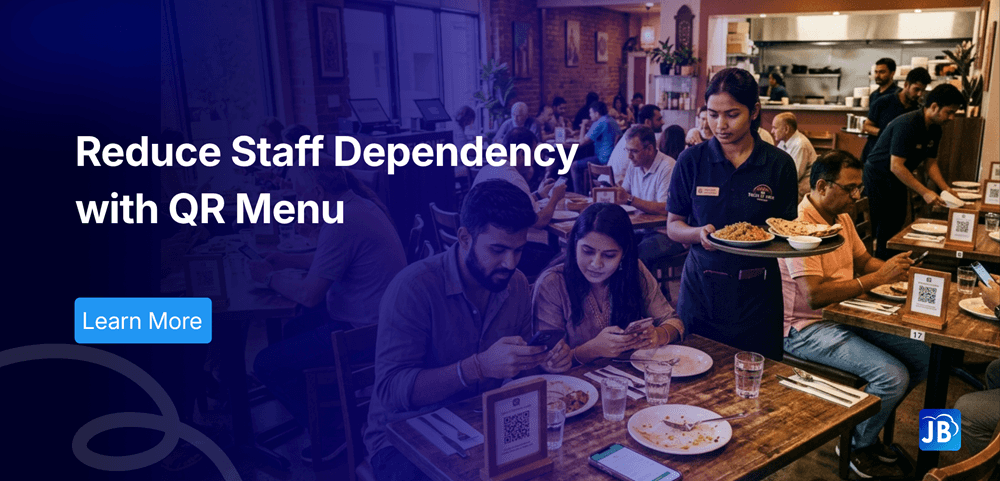
By allowing customers to browse menus, place orders, and even make payments directly from their smartphones, QR menus significantly reduce the need for manual staff involvement. The result is a more streamlined, cost-effective, and scalable restaurant operation.
Industry Context: The Shift Toward Smart Restaurant Automation
The restaurant industry has rapidly embraced digital transformation over the last few years. According to industry estimates, over 60% of diners now prefer contactless interactions when dining out.
This shift is not just about convenience, it’s about survival in a competitive market. Restaurants that adopt automation tools like QR menus and integrated POS systems are seeing:
- Faster table turnover
- Reduced human error
- Lower dependency on large service teams
As customer expectations evolve, traditional service-heavy models are becoming less sustainable.
What Is a QR Menu and How Does It Work?
A QR menu is a digital version of your restaurant menu that customers can access by scanning a QR code placed on the table.
Once scanned, customers can:
- View the menu instantly
- Customize their orders
- Place orders directly
- Make payments without waiting for staff
Unlike traditional menus, QR menus integrate seamlessly with modern POS systems, ensuring orders are directly sent to the kitchen in real time.
How QR Menus Reduce Staff Dependency
1. Eliminates Repetitive Order-Taking Tasks
In a traditional setup, waiters spend a significant amount of time taking orders and entering them into the system. QR menus remove this step entirely.
Customers place orders directly, which means:
- Fewer waiters are required on the floor
- Staff can focus on high-value tasks like customer service
- Order accuracy improves significantly
2. Reduces Dependency on Highly Skilled Staff
Training new staff can be time-consuming and expensive. With QR menus, the ordering process becomes intuitive and customer-driven.
Even with a smaller or less experienced team, restaurants can maintain smooth operations without compromising service quality.
3. Handles Peak Hours Without Extra Hiring
Peak hours are where most restaurants struggle. Long wait times, overwhelmed staff, and order errors are common.
QR menus allow restaurants to scale effortlessly during rush hours. Multiple customers can place orders simultaneously without increasing staff workload.
4. Minimizes Communication Errors
Miscommunication between customers and staff often leads to incorrect orders and wastage.
QR menus ensure:
- Clear item selection
- Customization options
- Direct transmission to the kitchen
This reduces errors and eliminates the need for repeated confirmations.
How QR Menus Help Reduce Restaurant Costs
Lower Labor Costs
Labor is one of the highest expenses in the restaurant business. By reducing dependency on waitstaff, restaurants can significantly cut payroll costs.
Many restaurants report 20–30% reduction in staffing costs after implementing digital ordering systems.
Reduced Training Expenses
With fewer staff and simplified workflows, training costs decrease. New employees can quickly adapt without extensive onboarding.
Faster Table Turnover
QR menus speed up ordering, which reduces waiting time and improves table turnover rates. More customers served means higher revenue without increasing staff.
Lower Printing and Maintenance Costs
Traditional menus require frequent updates and reprinting. QR menus eliminate this cost entirely while ensuring real-time updates.
Step-by-Step: Implementing QR Menus in Your Restaurant
Transitioning to a QR menu system doesn’t have to be complicated. A structured approach ensures smooth adoption.
Step 1: Choose the Right POS with QR Menu Integration
Select a system that supports seamless QR ordering and integrates with billing, kitchen, and inventory.
Step 2: Digitize Your Menu
Create a well-structured digital menu with clear categories, images, and pricing.
Step 3: Generate and Place QR Codes
Place QR codes on tables, walls, or receipts where customers can easily scan them.
Step 4: Train Staff for New Roles
Instead of order-taking, staff should focus on:
- Customer assistance
- Upselling
- Service quality
Step 5: Optimize Based on Feedback
Monitor customer behavior, popular items, and ordering patterns to improve the experience.
Real-World Example: A Mid-Size Restaurant Transformation
Consider a mid-sized restaurant that struggled with staff shortages during weekends. After implementing QR menus:
- Order-taking staff reduced by 40%
- Table turnover improved by 25%
- Order errors dropped significantly
- Customer satisfaction scores increased
Instead of hiring more staff, they optimized operations using technology resulting in both cost savings and better service.
Expert Tips for Maximizing QR Menu Efficiency
To fully unlock the benefits of QR menus, restaurants should focus on execution:
- Ensure fast-loading, mobile-friendly menus
- Use clear images and descriptions to reduce confusion
- Enable integrated payments for a complete contactless experience
- Analyze order data to optimize menu performance
- Combine QR menus with loyalty programs and offers
A well-implemented QR menu is not just a tool, it becomes a growth driver.
How Just Billing Helps Restaurants Optimize Staff and Costs
For restaurants looking to implement QR menus effectively, choosing the right platform is crucial.
Just Billing offers a complete solution that goes beyond basic QR menus. With its advanced POS system, restaurants can:
- Enable seamless QR-based ordering and billing
- Integrate with platforms like Swiggy and Zomato
- Track real-time Profit & Loss for better decision-making
- Send WhatsApp invoices and payment reminders
- Manage inventory, customers, and payments in one place
Its QR Menu platform is designed to reduce staff dependency while maintaining full control over operations.
Whether you’re a small café or a growing restaurant chain, Just Billing helps you scale efficiently without increasing operational complexity.
Conclusion
QR menus are no longer just a convenience, they are a necessity for modern restaurants aiming to stay competitive.
By reducing staff dependency, minimizing errors, and improving service speed, QR menus help businesses operate more efficiently while controlling costs.
Restaurants that adopt this technology early gain a significant advantage not just in profitability, but in delivering a better customer experience.
If your goal is to optimize operations without compromising service, QR menus are one of the smartest investments you can make today.
FAQ's:
QR menus allow customers to browse and place orders themselves, reducing the need for waitstaff to take orders manually.
They reduce waiting time, improve order accuracy, and provide a seamless dining experience.
When integrated with reliable POS software, QR menu systems are secure and compliant with payment standards.
They are especially effective during peak hours as they reduce delays and streamline order flow.
Just Billing offers an all-in-one POS system with QR menus, payments, integrations, and analytics, making it ideal for modern restaurants.

Search for article
Popular Posts
Download Our App
Share the Post
Explore our POS Software
Retail Billing Software
Super market, Grocery, Electronics, Gift Shops & Stationery
Restaurant Billing Software
Take away, Self service, Ice cream parlor, Coffee shop, Bakery
POS for Service Business
Accountant, Lawyer, Consultant, Photographer
Join Our Newsletter
Receive the latest blog posts, industry insights & exclusive Just Billing updates directly to your inbox.