
How POS Integration Simplifies swiggy and Zomato Order Management
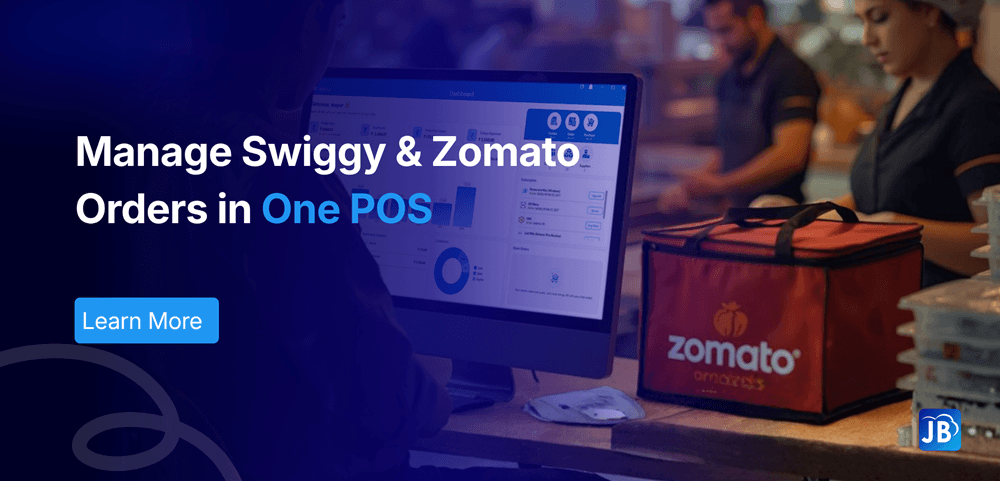
Food delivery has transformed the restaurant industry. Platforms like Swiggy and Zomato have opened new revenue channels for restaurants, enabling them to reach customers far beyond their physical location. However, this growth also introduces operational complexity.
Many restaurants still rely on manual processes to manage delivery orders. Staff often switch between tablets, mobile apps, and POS systems to confirm orders, update menus, and track deliveries. This approach increases the risk of missed orders, billing errors, and kitchen confusion.
This is where Swiggy Zomato POS integration becomes essential.
By connecting food delivery platforms directly to a restaurant’s POS system, orders flow automatically into the billing and kitchen workflow. The result is faster operations, fewer mistakes, and better customer experiences.
The Rise of Delivery Aggregators in the Restaurant Industry
The restaurant industry has undergone a digital shift over the past decade. Delivery platforms like Swiggy and Zomato have made it easier for customers to discover restaurants and order food within minutes.
While this growth is beneficial, it also creates operational challenges.
Restaurants typically receive delivery orders from:
- Swiggy
- Zomato
- Direct online ordering
- Phone orders
- Walk-in customers
Without a centralized system, staff must switch between different tablets and dashboards. This fragmented process increases the chances of errors and slows down operations.
A restaurant POS integration with delivery platforms solves this problem by consolidating orders into one unified system.
What Is Swiggy Zomato POS Integration?
Swiggy Zomato POS integration connects a restaurant’s billing system directly with delivery platforms so that orders automatically appear in the POS dashboard.
Instead of manually copying order details from delivery apps, the POS system receives orders in real time.
This integration typically includes:
- Automatic order import from Swiggy and Zomato
- Instant printing of kitchen order tickets (KOT)
- Real-time menu syncing
- Inventory tracking based on delivery orders
- Centralized reporting across dine-in and delivery channels
This unified workflow removes the need for manual order entry and allows restaurants to manage all operations from one system.
Key Problems Restaurants Face Without POS Integration
Many restaurant owners underestimate how much time manual delivery management consumes.
When POS systems are not integrated with delivery platforms, staff must manually process each order. This creates operational friction that affects service quality.
Common challenges include:
1. Manual Order Entry Errors
Staff must read orders from tablets and re-enter them into the POS. This increases the chance of incorrect items, wrong quantities, or missing instructions.
Even a small error can lead to refunds, bad reviews, and unhappy customers.
2. Delayed Kitchen Communication
When orders are manually entered, the kitchen receives them late. During peak hours, this delay can significantly impact preparation time.
3. Multiple Tablets and Screens
Restaurants often manage separate devices for Swiggy, Zomato, and their POS system. Staff must constantly switch between screens, which slows down workflow.
4. Menu Synchronization Issues
Updating menus across multiple platforms manually can lead to mismatches. A dish marked unavailable in the POS may still appear available on delivery apps.
5. Lack of Centralized Reporting
Without integration, restaurants struggle to analyze sales across dine-in, takeaway, and delivery channels.
How POS Integration Simplifies Swiggy and Zomato Orders
When restaurants implement POS integration, delivery orders automatically become part of the main operational workflow.
Here’s how the process works in a typical integrated system.
Step 1: Customer Places Order on Swiggy or Zomato
A customer selects items and places an order through the delivery platform.
Step 2: Order Automatically Syncs to POS
The order instantly appears in the restaurant’s POS dashboard. Staff no longer need to manually enter order details.
Step 3: Kitchen Receives Order Ticket
The POS system automatically generates a Kitchen Order Ticket (KOT) or sends the order to a kitchen display system.
Step 4: Inventory Updates in Real Time
Ingredients or product quantities are automatically deducted from inventory.
Step 5: Sales Data Updates Automatically
Delivery orders are recorded in the POS reporting dashboard alongside dine-in and takeaway sales.
This seamless workflow reduces operational friction and improves speed during peak hours.
Benefits of Swiggy Zomato POS Integration
Restaurants that adopt integrated POS systems gain several operational advantages.
Faster Order Processing
Orders arrive directly in the POS, allowing kitchens to start preparation immediately. This reduces delivery preparation time and improves efficiency.
Reduced Human Errors
Since orders are automatically imported, there is no need for manual data entry. This significantly lowers the risk of mistakes.
Centralized Order Management
Restaurants can manage all orders—dine-in, takeaway, and delivery—from a single dashboard.
Real-Time Menu Updates
Integrated systems allow menu updates to sync across delivery platforms, preventing customers from ordering unavailable items.
Better Sales Insights
Restaurant owners gain access to unified reports showing performance across multiple channels.
These insights help restaurants make data-driven decisions regarding pricing, menu items, and promotions.
Real-World Example: A Busy Restaurant Using POS Integration
Consider a mid-sized restaurant that receives around 150 orders per day.
Without POS integration:
- Staff manually enter each delivery order
- Each order takes 30–60 seconds to input
- During peak hours, delays and mistakes occur
This could waste over an hour of staff time daily.
After implementing POS integration:
- Orders appear automatically
- Kitchen receives orders instantly
- Billing and reports update automatically
The result is faster service, fewer errors, and smoother operations.
Best Practices When Implementing Swiggy Zomato POS Integration
Restaurants planning to implement delivery platform integration should follow several best practices.
Choose a POS Built for Restaurant Operations
A POS designed specifically for restaurants includes features like kitchen display systems, menu management, and delivery integrations.
Ensure Real-Time Menu Sync
Menu items and prices should remain consistent across Swiggy, Zomato, and the POS system.
Train Staff on Unified Order Management
Even automated systems require proper training. Staff should understand how to manage orders from one centralized interface.
Use Data Insights
Delivery data can reveal valuable insights, including:
- Best-selling dishes
- Peak delivery hours
- Customer preferences
Restaurants that analyze these insights can improve menu strategy and profitability.
How Just Billing Simplifies Swiggy and Zomato Order Management
Modern restaurants need a POS system that connects every part of their operations. This is exactly where Just Billing delivers significant value.
The platform offers seamless Swiggy Zomato POS integration, allowing restaurants to automatically receive and manage delivery orders inside their POS system.
With Just Billing, restaurants benefit from:
- Automatic delivery order synchronization
- Real-time inventory updates
- Integrated billing and reporting
- QR menu ordering for contactless dining
- Smart payments supporting cards, Stripe, PayPal, and in-store transactions
- Real-time profit and loss tracking
- WhatsApp invoices and automated reminders
- Advanced product variants with Veg, Non-Veg, and Egg classification
Unlike traditional POS systems, Just Billing is designed to work across Windows, Android, and iOS, with centralized back-office management.
Restaurants can manage dine-in, takeaway, and delivery operations from one unified platform.
Why Delivery Integration is Essential for Modern Restaurants
The restaurant industry is becoming increasingly digital.
Customers expect fast service, accurate orders, and reliable delivery experiences. Restaurants that rely on manual processes will struggle to keep up with demand.
POS integration with delivery platforms provides several long-term advantages:
- Faster order processing
- Reduced operational errors
- Better kitchen coordination
- Improved customer satisfaction
- Accurate financial reporting
Restaurants that adopt integrated systems gain a competitive advantage in a crowded food delivery market.
Conclusion
Swiggy and Zomato have transformed how customers order food, but managing delivery orders efficiently requires the right technology.
Swiggy Zomato POS integration allows restaurants to automate order management, eliminate manual errors, and streamline kitchen operations.
By connecting delivery platforms directly with the restaurant POS system, businesses can handle higher order volumes without increasing operational complexity.
Solutions like Just Billing help restaurants unify delivery, billing, payments, and reporting into a single platform, enabling them to operate faster and smarter in today’s competitive food delivery landscape.
FAQ's:
Swiggy Zomato POS integration connects food delivery platforms with a restaurant POS system, allowing delivery orders to automatically appear in the billing and kitchen workflow.
POS integration eliminates manual order entry, reduces errors, improves kitchen efficiency, and provides centralized reporting across dine-in and delivery channels.
Yes. Integrated POS systems allow restaurants to manage orders from multiple delivery platforms like Swiggy and Zomato within a single dashboard.
Key features include delivery platform integration, real-time reporting, centralized menu management, inventory tracking, and kitchen order management.
Yes. Just Billing offers seamless integration with Swiggy and Zomato, allowing restaurants to manage delivery orders directly from their POS system.
Search for article
Popular Posts
Download Our App
Share the Post
Explore our POS Software
Retail Billing Software
Super market, Grocery, Electronics, Gift Shops & Stationery
Restaurant Billing Software
Take away, Self service, Ice cream parlor, Coffee shop, Bakery
POS for Service Business
Accountant, Lawyer, Consultant, Photographer
Join Our Newsletter
Receive the latest blog posts, industry insights & exclusive Just Billing updates directly to your inbox.