
Running Your Business Across Desktop and Mobile POS
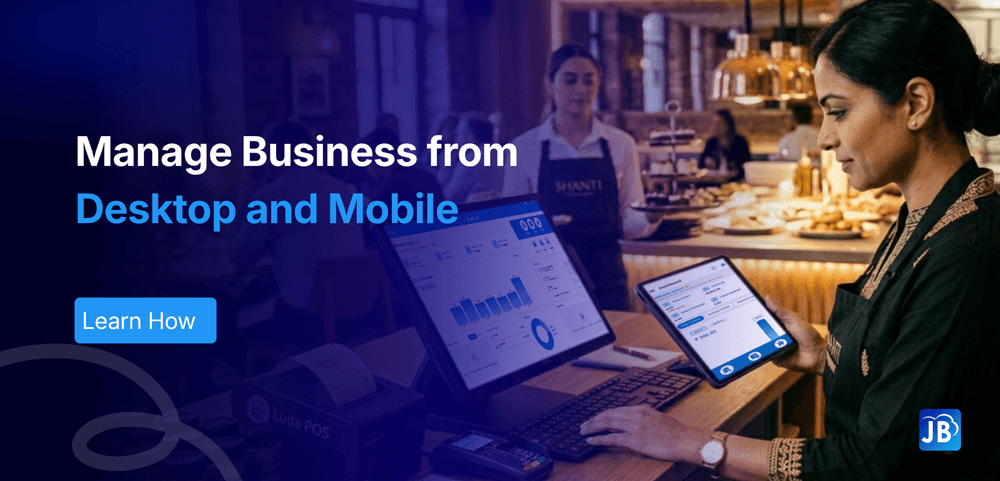
Modern businesses are no longer confined to a single checkout counter. Whether it’s a retail store managing peak-hour sales or a restaurant handling table orders and deliveries, flexibility has become essential. This is where combining a desktop and mobile POS setup transforms the way businesses operate.
Instead of relying on one device or location, businesses can now manage sales, inventory, payments, and customer interactions from both fixed desktop systems and portable mobile devices. This hybrid approach not only improves efficiency but also enhances customer experience and operational control.
Industry Context: The Rise of Hybrid POS Systems
The POS software industry has evolved rapidly with the shift toward cloud-based and mobile-first solutions. According to industry estimates, over 65% of small and medium businesses now use cloud POS systems, with mobile POS adoption growing at nearly 20% annually.
Traditionally, businesses relied on desktop POS systems for billing and reporting. While powerful, they lacked flexibility. On the other hand, mobile POS apps introduced speed and mobility, but sometimes lacked depth.
Today’s successful businesses are combining both into a hybrid POS system, leveraging the strengths of each.
What is Desktop and Mobile POS Integration?
A desktop POS typically acts as the central hub for business operations. It handles billing, reporting, inventory tracking, and administrative controls. On the other hand, a POS mobile app allows staff to perform transactions on the move, whether on the shop floor, at a table, or even outside the store.
When integrated, both systems sync in real time through the cloud. This means every sale, stock update, or customer interaction is instantly reflected across all devices.
For example, a retail store can process billing at the counter using a desktop while staff assist customers on the floor using mobile POS devices.
Why Businesses Need Both Desktop and Mobile POS
Seamless Operations Across Locations
Imagine managing a retail store where billing happens at the counter, but customers also request assistance on the floor. With a mobile POS system, staff can check prices, create bills, and complete transactions instantly without sending customers back to the queue.
At the same time, the desktop POS ensures centralized control over accounting, reporting, and inventory.
Faster Checkout Experience
Long queues are one of the biggest reasons customers abandon purchases. Mobile POS devices allow staff to process transactions anywhere, reducing wait times significantly.
Studies suggest that faster checkout can increase conversion rates by up to 30%.
Real-Time Business Insights
With a POS mobile app, business owners don’t need to be physically present to monitor operations. You can:
- Track daily sales
- Monitor inventory levels
- View profit and loss
- Analyze top-performing products
All from your smartphone.
Improved Staff Productivity
Employees equipped with mobile POS tools can serve customers more efficiently. They spend less time moving between systems and more time focusing on sales.
Key Features to Look for in a Multi-Device POS System
To truly benefit from desktop and mobile POS integration, the system must go beyond basic billing.
A reliable solution should include:
Real-Time Sync
Data consistency is critical. Every transaction, whether from desktop or mobile, must reflect instantly across all devices.
Cloud-Based Access
Cloud POS ensures that your business data is accessible anytime, anywhere—without dependency on a single machine.
Multi-Payment Support
Modern customers expect flexibility. Your POS should support cards, UPI, wallets, and online payments.
Inventory Management
Stock levels should update automatically, whether sales happen on mobile or desktop.
Customer Management
Tracking customer preferences and purchase history helps improve retention and loyalty.
How Desktop and Mobile POS Work Together
To understand the real impact, let’s look at how these systems function together in a typical business setup.
Step 1: Centralized Cloud System
Both desktop POS and mobile POS apps connect to a shared cloud-based backend. This ensures all data remains synchronized in real time.
Step 2: Role-Based Access
Desktop systems are usually used by managers or cashiers for:
- Billing
- Reports
- Inventory control
Mobile POS apps are used by staff for:
- Taking orders
- Checking stock
- Processing quick payments
Step 3: Live Sync Across Devices
Any transaction made on mobile instantly reflects on the desktop system and vice versa. This eliminates discrepancies and ensures accuracy.
Step 4: Unified Reporting
All data is consolidated into one dashboard, giving business owners a complete view of operations.
Real-World Use Cases
Retail Store Scenario
In a busy clothing store, staff use mobile POS devices to assist customers, check product availability, and complete purchases instantly. Meanwhile, the desktop POS handles backend operations like inventory tracking and daily sales reports.
This reduces waiting time and increases sales conversion rates.
Restaurant Scenario
In restaurants, waiters take orders directly using a POS mobile app, which instantly syncs with the kitchen. The desktop system manages billing, taxes, and reports.
This minimizes order errors and speeds up service.
Best Practices for Maximum Efficiency
To get the most out of a desktop and mobile POS setup, businesses should focus on consistency and usability.
Ensure your internet connection is reliable, as cloud-based syncing depends on it. Also, maintain uniform pricing and inventory data across devices to avoid discrepancies.
Security is another key factor. Use role-based access and secure payment integrations to protect sensitive data.
Most importantly, prioritize user experience. A fast and intuitive POS mobile app can significantly improve staff efficiency and customer satisfaction.
How Just Billing Simplifies Desktop and Mobile POS Management
For businesses looking to implement a seamless hybrid POS system, Just Billing offers a powerful and flexible solution.
Designed for modern retail and restaurant environments, Just Billing operates across Windows, Android, and iOS, ensuring smooth integration between desktop and mobile POS.
With Just Billing, businesses can:
- Run billing operations on desktop while enabling staff to use the POS mobile app for on-floor sales
- Access real-time Profit & Loss reports from any device
- Manage inventory and stock across multiple devices effortlessly
- Accept payments through cards, Stripe, PayPal, and in-store options
- Send invoices via WhatsApp and automate payment reminders
- Integrate seamlessly with Swiggy and Zomato for online orders
- Handle multi-currency transactions and country-specific tax compliance
What truly sets Just Billing apart is its centralized backoffice, allowing business owners to control operations from anywhere while staff work efficiently across devices.
If you’re looking to modernize your business operations, explore the full capabilities of Just Billing POS.
The Future of POS: Mobility Meets Control
The future of POS systems lies in flexibility. Businesses that adopt both desktop and mobile POS are better equipped to handle changing customer expectations and operational challenges.
As technology continues to evolve, we can expect deeper integrations, smarter analytics, and even more mobility. Businesses that embrace this hybrid approach today will have a clear advantage tomorrow.
Conclusion
Running a business today requires more than just a billing system—it requires flexibility, speed, and real-time visibility.
A combination of desktop and mobile POS empowers businesses to operate without limitations. It enhances customer experience, improves operational efficiency, and provides valuable insights for growth.
As businesses continue to evolve, adopting a unified POS system is no longer optional—it’s essential.
If you’re looking to future-proof your operations and stay ahead of the competition, now is the time to embrace a multi-device POS solution like Just Billing.
FAQ's:
A desktop POS is used at a fixed location for billing and reporting, while a mobile POS allows transactions and operations from smartphones or tablets.
Yes, cloud-based POS is essential for syncing data between desktop and mobile devices in real time.
Yes, a good POS system updates inventory in real time across all devices.
It reduces wait times, enables faster billing, and allows staff to assist customers anywhere in the store.
Yes, with a mobile POS app, you can monitor sales, inventory, and reports from anywhere.
Search for article
Popular Posts
Download Our App
Share the Post
Explore our POS Software
Retail Billing Software
Super market, Grocery, Electronics, Gift Shops & Stationery
Restaurant Billing Software
Take away, Self service, Ice cream parlor, Coffee shop, Bakery
POS for Service Business
Accountant, Lawyer, Consultant, Photographer
Join Our Newsletter
Receive the latest blog posts, industry insights & exclusive Just Billing updates directly to your inbox.