

How Shopify Integration Simplifies POS and Online Store Management
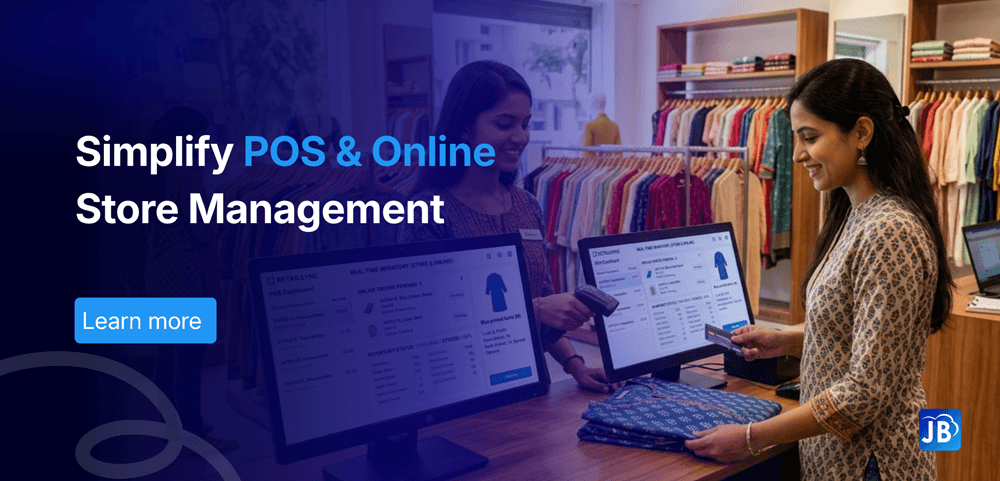
Managing a business today means handling both online and offline sales efficiently. Customers expect a seamless experience whether they shop in-store or through an online platform. However, many businesses still struggle with disconnected systems, leading to inventory mismatches, delayed updates, and operational inefficiencies.
This is where Shopify POS integration changes the game. By connecting your physical store operations with your online Shopify store, businesses can unify processes, reduce manual work, and improve customer experience.
In this blog, we’ll explore how Shopify integration simplifies POS and online store management, and how businesses can leverage it to scale faster.
Understanding the Industry: Retail & POS Software Evolution
The retail industry has undergone a massive transformation in the last decade. With the rise of eCommerce, businesses are no longer confined to physical locations. Today, over 70% of retailers operate across multiple sales channels, including online stores, marketplaces, and brick-and-mortar outlets.
However, this growth introduced complexity. Without proper integration, businesses often face:
- Inventory inconsistencies between online and offline stores
- Duplicate data entry
- Poor customer experience due to lack of unified data
Modern POS systems are no longer just billing tools. They are central hubs that connect payments, inventory, analytics, and online platforms like Shopify. Integration is no longer optional—it’s essential for survival in competitive retail.
What is Shopify POS Integration?
Shopify POS integration connects your physical point-of-sale system with your Shopify online store. This creates a centralized system where all business operations are synchronized in real time.
Instead of managing two separate systems, businesses can:
- Track inventory across all channels
- Manage orders from one dashboard
- Maintain consistent pricing and product data
- Deliver a unified customer experience
This integration ensures that your business operates as a single, cohesive system rather than disconnected parts.
How Shopify Integration Simplifies Store Management
1. Real-Time Inventory Synchronization
One of the biggest advantages is real-time inventory tracking. When a product is sold online, the stock automatically updates in your POS system and vice versa.
This eliminates overselling and stock discrepancies while helping businesses maintain accurate inventory levels without manual intervention.
2. Unified Order Management
With integration, all orders whether online or in-store are managed in one place. This makes it easier to track sales performance, manage returns, and streamline fulfillment processes.
3. Centralized Customer Data
Customer information is automatically synced across platforms. This allows businesses to:
- Track purchase history
- Offer personalized promotions
- Improve customer retention
A unified customer database helps deliver a consistent experience across all touchpoints.
4. Seamless Payment Processing
Integrated systems support multiple payment methods, both online and offline. This ensures faster checkouts, fewer errors, and improved customer satisfaction.
5. Better Reporting & Insights
Businesses gain access to consolidated reports, providing insights into sales trends, customer behavior, and product performance. This enables smarter decision-making and better forecasting.
Benefits of Shopify POS Integration for Businesses
Improved Operational Efficiency
Manual processes are reduced significantly. Businesses no longer need to update inventory or sales data separately, saving time and minimizing errors.
Enhanced Customer Experience
Customers enjoy a consistent shopping journey across online and offline channels, including accurate product availability and flexible buying options.
Faster Business Scaling
With systems working together, businesses can expand to new channels without operational complexity. Adding new stores or online products becomes much easier.
Reduced Costs
Automation reduces the need for additional manpower and prevents costly errors like overselling or stockouts.
Step-by-Step: How Shopify Integration Works
To understand the process better, here’s how businesses typically implement Shopify POS integration:
First, the Shopify store is connected to the POS software through APIs or built-in integrations. Once connected, product catalogs are synced between both platforms.
Next, inventory levels are aligned so that any sale updates stock automatically. Customer data is then unified, ensuring consistent records across channels.
Finally, reporting tools combine data from both systems to provide a complete view of business performance.
Real-World Example
Consider a mid-sized retail clothing store expanding into ecommerce. Before integration, the store faced frequent inventory mismatches. Popular products would sell out online, while still appearing available in-store systems.
After implementing Shopify POS integration, the business saw immediate improvements. Inventory accuracy increased significantly, and order processing time dropped by nearly 40%. Customers experienced fewer cancellations, leading to higher satisfaction and repeat purchases.
Expert Best Practices for Shopify Integration
To get the most out of Shopify POS integration, businesses should focus on a few key practices.
Ensure your POS system supports seamless integration and real-time syncing. Regularly audit your inventory to maintain accuracy. Train staff to use the unified system effectively so they can handle both online and offline operations.
It’s also important to leverage analytics tools to understand customer behavior and optimize sales strategies.
How Just Billing Simplifies Shopify Integration
For businesses looking for a powerful and scalable solution, Just Billing offers a comprehensive POS system designed for modern retail and restaurant operations.
With its advanced integration capabilities, Just Billing helps businesses connect their POS system with eCommerce platforms like Shopify effortlessly.
Key advantages include:
- Real-time inventory and order synchronization
- Smart payment integrations including Stripe and PayPal
- Centralized reporting with Profit & Loss insights
- WhatsApp invoice sharing and automated reminders
- Multi-currency and tax compliance support
Beyond integration, Just Billing provides a complete ecosystem with inventory management, customer loyalty programs, and delivery platform integrations like Swiggy and Zomato.
Conclusion
Shopify POS integration is no longer a luxury; it’s a necessity for modern retail businesses. By connecting online and offline operations, businesses can achieve better control, improved efficiency, and enhanced customer experiences.
With the right POS system like Just Billing, integration becomes seamless and powerful. It not only simplifies daily operations but also sets the foundation for long-term growth.
If you’re looking to scale your business and stay ahead in the competitive retail landscape, integrating Shopify with a robust POS system is the smartest move you can make.
FAQ's:
Shopify POS integration connects your physical store’s POS system with your Shopify online store, enabling unified inventory, sales, and customer management.
Yes, inventory updates automatically across all connected sales channels in real time.
Customers get consistent pricing, flexible shopping options, and faster service, improving overall satisfaction.
Yes, integrated systems allow centralized control over multiple store locations.
Choose a compatible POS system like Just Billing, connect it to your Shopify store, and configure syncing for inventory, orders, and payments.

Search for article
Popular Posts
Download Our App
Share the Post
Explore our POS Software
Retail Billing Software
Super market, Grocery, Electronics, Gift Shops & Stationery
Restaurant Billing Software
Take away, Self service, Ice cream parlor, Coffee shop, Bakery
POS for Service Business
Accountant, Lawyer, Consultant, Photographer
Join Our Newsletter
Receive the latest blog posts, industry insights & exclusive Just Billing updates directly to your inbox.