
Use Case: Business Upgrading POS as It Grows
Every growing business eventually reaches a turning point where its existing billing system starts slowing operations instead of supporting growth. What once worked perfectly for a single store, café, or retail outlet begins creating delays, inventory confusion, reporting gaps, and payment management challenges as the business expands.
This is one of the most common POS upgrade use cases across retail stores, restaurants, supermarkets, distributors, and service businesses. Growth increases operational complexity, and outdated systems struggle to keep up with faster billing demands, multiple payment methods, expanding inventory, customer loyalty management, and multi-location operations.
Businesses that upgrade early gain better operational control, improved customer experience, and stronger profitability visibility. Businesses that delay often face billing inefficiencies, stock mismatches, reporting delays, and frustrated staff.
This article explains how scalable POS growth works in real-world businesses, the warning signs that indicate it is time for an upgrade, and how modern solutions like Just Billing help businesses scale smoothly without operational disruption.
Why POS Scalability Matters in Modern Retail and Restaurant Businesses
The retail and restaurant industry has changed dramatically over the last few years. Customers now expect faster billing, digital payments, online ordering, QR menus, loyalty rewards, instant invoices, and seamless service across locations.
At the same time, business owners need deeper visibility into operations. They want real-time reporting, centralized inventory tracking, staff performance insights, tax compliance, and better financial forecasting.
A basic POS system may support a startup business adequately. However, once the business begins growing, operational pressure increases rapidly.
For example:
- A restaurant opening its second branch needs centralized menu and sales management.
- A retail store expanding product categories requires advanced inventory controls.
- A supermarket handling larger customer volumes needs faster checkout speed.
- A distributor operating across regions requires multi-currency and tax support.
Industry studies estimate that businesses using scalable cloud-enabled POS systems improve operational efficiency by nearly 25% while reducing manual reporting errors significantly.
This is why scalable POS growth is no longer optional. It is essential for sustainable expansion.
Common Signs a Business Has Outgrown Its Current POS System
Many business owners continue using outdated software because they fear migration complexity or operational downtime. However, several clear warning signs indicate that the current system is limiting business growth.
Billing Becomes Slower During Peak Hours
One of the earliest indicators is billing slowdown. As transaction volume increases, older systems struggle to process orders quickly. Long billing queues affect customer satisfaction and reduce repeat business.
Restaurants often experience this during lunch or dinner rushes, while retail stores see it during weekends or festive seasons.
Inventory Tracking Starts Becoming Inaccurate
As businesses expand product catalogs, manual inventory tracking becomes difficult. Missing stock updates, duplicate entries, and incorrect stock counts become frequent problems.
Without accurate inventory management, businesses lose revenue through stock wastage, over-ordering, or stockouts.
Reporting Takes Too Much Time
Growing businesses require faster decision-making. If owners must manually compile reports from spreadsheets or multiple systems, operational visibility suffers.
Modern scalable POS systems provide real-time Profit & Loss reporting, sales analytics, and performance dashboards instantly.
Payment Methods Become Difficult to Manage
Customers now prefer multiple payment options including cards, UPI, wallets, PayPal, Stripe, and contactless transactions.
Older POS systems often lack flexible payment integrations, creating reconciliation issues and slower checkout experiences.
Multi-Location Management Becomes Complicated
When businesses open additional outlets, centralized control becomes critical. Without a scalable POS system, owners struggle with:
- Consolidated reporting
- Centralized inventory visibility
- Standardized pricing
- Employee management
- Tax compliance across regions
This is one of the biggest reasons businesses upgrade their POS infrastructure.
Real-World POS Upgrade Use Case
Imagine a restaurant chain that started with a single outlet using a basic desktop billing application. Initially, operations were simple. Orders were limited, inventory was manageable, and reporting needs were minimal.
As the business expanded to four outlets, operational complexity increased dramatically.
The owners faced several problems:
- Different branches maintained separate inventory records
- Daily sales reconciliation became time-consuming
- Online delivery orders were handled manually
- Customer loyalty tracking was inconsistent
- Payment follow-ups required manual calls
- Reports from each branch arrived at different times
The management team realized that the old system could no longer support business growth.
They upgraded to a scalable POS platform capable of handling centralized operations.
After implementation, the business experienced measurable improvements:
- Faster billing during peak dining hours
- Centralized stock management
- Automated delivery order integration
- Real-time profit and loss visibility
- WhatsApp invoice automation
- Improved customer retention through loyalty programs
Most importantly, the business could continue expanding without replacing its POS system again.
Why POS Upgrades Matter During Business Expansion
Better Customer Experience
Modern POS systems help businesses provide faster and smoother checkout experiences. Features like QR menu ordering, digital invoices, and multiple payment options improve convenience and reduce waiting times.
In restaurants, even a small reduction in billing delays can improve table turnover and customer satisfaction significantly.
Stronger Financial Control
Growing businesses require accurate financial visibility. Advanced POS systems provide real-time profit and loss reporting, helping owners identify high-performing products, peak sales hours, and operational inefficiencies quickly.
This level of insight is essential for scaling profitably.
Centralized Multi-Store Management
Businesses operating across multiple locations need centralized operational control. Modern POS software enables unified monitoring of:
- Sales performance
- Inventory movement
- Staff productivity
- Tax reporting
- Customer data
This simplifies expansion and improves decision-making.
Improved Inventory Accuracy
Inventory mistakes become more expensive as businesses grow. A scalable POS system helps track stock in real time, reducing wastage, shrinkage, and stock shortages.
For restaurants, ingredient-level inventory tracking can significantly improve food cost management.
Easier Staff Training
Modern POS systems are designed with intuitive interfaces that reduce staff learning time. This becomes important when businesses hire new employees frequently during expansion phases.
Key Features Businesses Should Look for Before Upgrading
Choosing the right POS upgrade is not just about features today — it is about future readiness.
Cloud-Enabled Access
Businesses increasingly need access to reports and operations remotely. Cloud-enabled POS systems allow owners to monitor business performance from anywhere.
Omnichannel Integrations
Today’s businesses often manage in-store sales, online orders, and delivery platforms simultaneously. POS software should integrate smoothly with services like Swiggy, Zomato, eCommerce platforms, and payment gateways.
Smart Payment Support
Flexible payment processing is essential for modern customer expectations. Businesses should ensure their POS supports:
- UPI
- Credit and debit cards
- Stripe
- PayPal
- Contactless payments
- Advance payments
Real-Time Reporting
Instant access to sales and financial reports allows business owners to make faster operational decisions.
Scalability
The POS should support additional branches, users, devices, products, and integrations without performance issues.
How Just Billing Helps Businesses Upgrade Smoothly
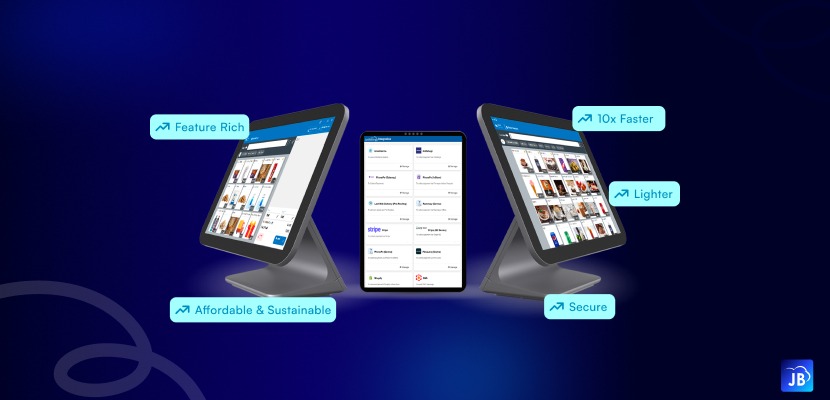
Just Billing is built specifically for businesses that want operational control, scalability, and long-term flexibility.
Unlike basic billing systems that struggle during expansion, Just Billing supports business growth with advanced automation and centralized management capabilities.
Its latest platform includes:
- Smart payment integrations with cards, Stripe, PayPal, and in-store payments
- Real-time Profit & Loss reporting
- QR Menu ordering for restaurants
- Swiggy and Zomato integration
- WhatsApp invoices and payment reminders
- Advanced inventory and stock management
- Product variants with Veg, Non-Veg, and Egg classifications
- Multi-currency and country-based Tax ID support
- Customer loyalty and CRM tools
- Multi-platform support across Windows, Android, and iOS
Businesses can also choose scalable plans including GO, PRO, and MAX depending on operational requirements.
This flexibility allows businesses to upgrade progressively without changing software ecosystems repeatedly.
The Long-Term Value of Upgrading Early
Businesses that upgrade their POS systems before operational bottlenecks become severe usually scale more efficiently.
A modern POS platform is no longer just a billing tool. It has become the operational backbone of retail and restaurant businesses.
From inventory automation and customer engagement to financial analytics and delivery integrations, scalable POS software directly influences profitability and growth potential.
Companies that delay modernization often face higher operational costs, slower service, and limited visibility into business performance.
Conclusion
Business growth should never be limited by outdated software.
As operations expand, the need for faster billing, centralized inventory, advanced reporting, payment flexibility, and multi-location management becomes unavoidable. Businesses that proactively upgrade their POS systems gain stronger operational control, better customer experience, and improved profitability.
The right scalable POS platform simplifies growth instead of complicating it.
For retail stores, restaurants, distributors, and service businesses looking to expand confidently, Just Billing POS Software provides the flexibility, automation, and scalability required to support long-term business success.
Whether you are opening a second branch, managing larger inventories, integrating online deliveries, or improving customer engagement, upgrading to a modern POS solution can become one of the smartest operational decisions your business makes.
FAQ's:
Businesses should upgrade when they experience billing slowdowns, inventory issues, reporting delays, limited payment support, or difficulty managing multiple locations.
Scalable POS software helps businesses handle increasing customers, inventory, branches, and transactions without disrupting operations or reducing efficiency.
Businesses should prioritize inventory management, real-time reporting, payment integrations, customer loyalty tools, cloud access, and multi-location support.
Just Billing provides scalable POS features including smart payments, advanced inventory management, WhatsApp invoicing, real-time reporting, and multi-location support.
Yes. Faster billing, multiple payment options, loyalty programs, and smoother service significantly improve customer satisfaction and retention.

Search for article
Popular Posts
Download Our App
Share the Post
Explore our POS Software
Retail Billing Software
Super market, Grocery, Electronics, Gift Shops & Stationery
Restaurant Billing Software
Take away, Self service, Ice cream parlor, Coffee shop, Bakery
POS for Service Business
Accountant, Lawyer, Consultant, Photographer
Join Our Newsletter
Receive the latest blog posts, industry insights & exclusive Just Billing updates directly to your inbox.