
Use Case: Business Avoiding Stockouts with POS Alerts
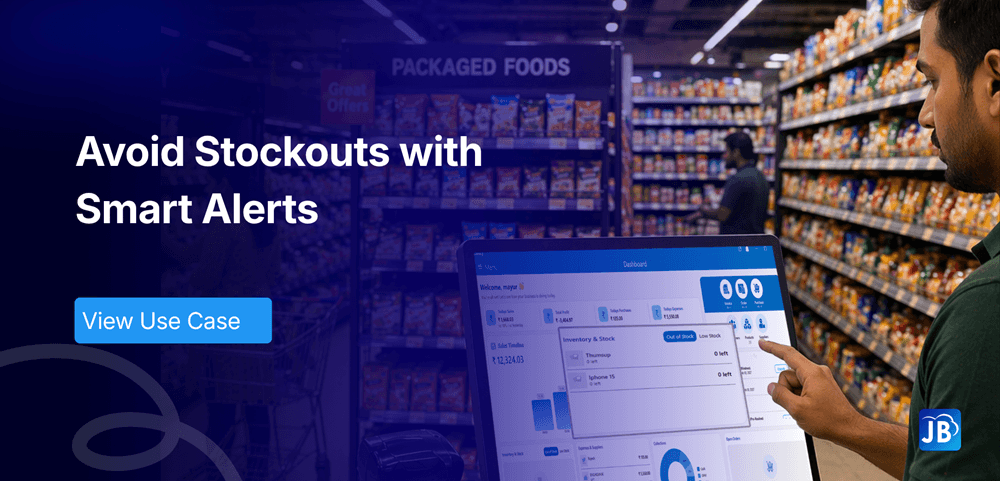
Stockouts are one of the most silent revenue killers in any business. A customer walks in ready to buy, only to find the product unavailable. The result? Lost sales, reduced trust, and often, a customer who may never return.
For growing businesses, especially in retail and food service, maintaining optimal inventory levels is not just operational hygiene, it’s a competitive advantage. This is where modern POS systems with intelligent alerts play a critical role.
In this use case, we explore how businesses can avoid stockouts with POS alerts, improve inventory visibility, and ensure consistent customer satisfaction.
Industry Context: POS Software in Retail & Restaurants
In today’s retail and restaurant environments, inventory turnover is faster than ever. According to industry estimates, nearly 30% of businesses experience stockouts regularly, leading to significant revenue leakage.
Traditional inventory tracking methods like manual counts, spreadsheets, or delayed reporting are no longer sufficient. Businesses now require real-time inventory intelligence that integrates directly with billing and sales systems.
POS software has changed into a central operational hub, allowing businesses to:
- Track stock movement instantly
- Predict demand patterns
- Automate reordering decisions
- Minimize human error
This shift has made POS-driven inventory alerts a necessity rather than a luxury.
Understanding the Problem: Why Stockouts Happen
Stockouts are rarely caused by a single issue. They are usually the result of multiple gaps in inventory management.
A typical business faces challenges such as delayed stock updates, inaccurate demand forecasting, supplier delays, or simply lack of visibility into fast-moving items.
Imagine a grocery store that sells out of a popular product every weekend. Without a system to track trends and trigger alerts, the problem repeats endlessly.
Key causes include:
- Lack of real-time inventory tracking
- No automated low-stock notifications
- Poor coordination between sales and inventory
- Seasonal demand fluctuations
- Manual errors in stock counting
Without a structured system, these issues compound over time.
What Are POS Alerts and How Do They Work?
POS alerts are automated notifications generated by your billing system when inventory reaches predefined thresholds.
Instead of waiting for stock to run out, the system proactively notifies you when levels fall below a certain limit. These alerts can be configured based on product type, sales velocity, or supplier timelines.
For example, if a restaurant is running low on a key ingredient, the POS system instantly triggers a notification allowing the business to reorder before it impacts operations.
These alerts can appear:
- On the POS dashboard
- As mobile notifications
- Through email or WhatsApp integrations
This ensures that decision-makers are always informed, even when they are not physically present at the store.
Benefits of Avoiding Stockouts Using POS Alerts
1. Consistent Product Availability
Customers expect reliability. When products are consistently available, it builds trust and increases repeat purchases.
2. Increased Revenue Protection
Every avoided stockout is a saved sale. Businesses that implement POS alerts often report a noticeable improvement in sales continuity.
3. Better Demand Planning
With real-time data, businesses can identify fast-moving items and adjust procurement strategies accordingly.
4. Reduced Operational Stress
Staff no longer need to manually monitor inventory levels. Automation reduces workload and errors.
5. Improved Customer Experience
When customers find what they need every time, it enhances brand perception and loyalty.
Step-by-Step: How Businesses Use POS Alerts Effectively
Step 1: Define Minimum Stock Levels
Start by identifying the minimum quantity required for each product. This should consider sales velocity and supplier lead time.
Step 2: Enable Real-Time Inventory Tracking
Ensure your POS system updates inventory automatically with every transaction.
Step 3: Configure Low-Stock Alerts
Set up alerts that trigger when stock reaches critical levels. Customize thresholds for different products.
Step 4: Monitor and Act Quickly
Alerts are only useful if acted upon. Assign responsibility to staff for timely reordering.
Step 5: Analyze Trends
Use POS reports to understand which products frequently hit low stock levels and adjust planning accordingly.
Real-World Use Case: A Retail Store Transformation
A mid-sized grocery store faced frequent stockouts of essential items like dairy and packaged foods. Despite strong customer demand, poor visibility into inventory caused repeated missed sales.
After implementing POS alerts:
- Stockouts reduced by nearly 60% within three months
- Sales increased due to improved product availability
- Staff saved hours previously spent on manual inventory checks
The key change was simple: instead of reacting to empty shelves, the store began acting on early signals.
Expert Insights: Best Practices for Inventory Alerts
To maximize the effectiveness of POS alerts, businesses should go beyond basic setup.
It’s important to regularly review alert thresholds, especially during seasonal changes or promotional periods. Integrating supplier timelines into alert configurations can further improve accuracy.
Additionally, combining alerts with inventory reports helps in identifying patterns rather than just reacting to individual events.
Avoid over-alerting, as too many notifications can lead to alert fatigue. Focus on high-impact products and critical inventory.
How Just Billing Solves Stockout Challenges
Just Billing provides a comprehensive solution designed to eliminate stockouts through intelligent automation and real-time insights.
With Just Billing, businesses gain:
- Real-time inventory tracking synced with every sale
- Automated low-stock alerts to prevent shortages
- Advanced reporting tools for demand forecasting
- Multi-device access for monitoring inventory remotely
- Integration with online platforms like Swiggy and Zomato for unified stock control
Its intuitive interface ensures that even non-technical staff can manage inventory efficiently.
Businesses can also leverage features like WhatsApp alerts, centralized backoffice control, and multi-location inventory management to maintain seamless operations.
Conclusion
Stockouts are not just an operational issue they directly impact revenue, customer satisfaction, and brand reputation.
By adopting POS alerts, businesses shift from reactive firefighting to proactive inventory control. This not only ensures product availability but also creates a smoother, more predictable business environment.
In a competitive market, the ability to consistently meet customer demand can be the difference between growth and stagnation. POS alerts make that consistency achievable.
For businesses aiming to scale efficiently, adopting a smart POS system like Just Billing is the good choice is no longer optional, it’s essential.
FAQ's:
They notify businesses when stock reaches critical levels, enabling timely reordering and preventing shortages.
Most modern POS systems allow businesses to set custom thresholds based on product demand and supplier timelines.
When integrated properly, they provide highly accurate real-time data based on every transaction.
Regular monitoring is recommended, but POS alerts reduce the need for manual checks.
It offers a complete, user-friendly POS solution with powerful inventory tools, alerts, and integrations designed for growing businesses.

Search for article
Popular Posts
Download Our App
Share the Post
Explore our POS Software
Retail Billing Software
Super market, Grocery, Electronics, Gift Shops & Stationery
Restaurant Billing Software
Take away, Self service, Ice cream parlor, Coffee shop, Bakery
POS for Service Business
Accountant, Lawyer, Consultant, Photographer
Join Our Newsletter
Receive the latest blog posts, industry insights & exclusive Just Billing updates directly to your inbox.