

Use Case: Multi-Location Business Operating Across Countries
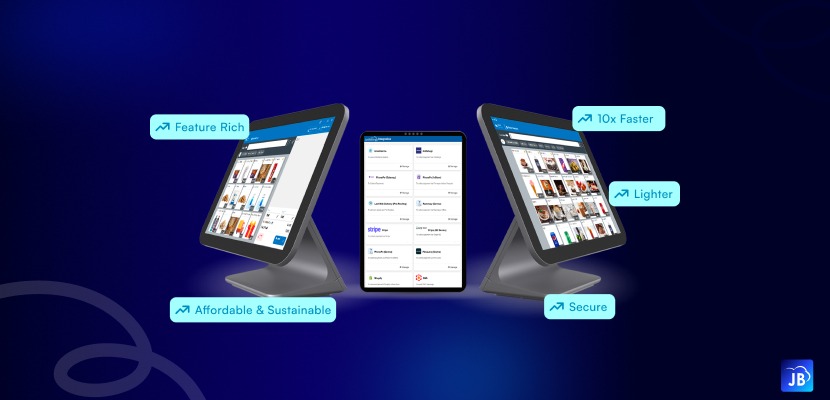
Expanding a business beyond one city is already challenging. Expanding across multiple countries introduces an entirely different level of operational complexity. Currency conversions, regional tax rules, language preferences, inventory synchronization, online orders, payment methods, and real-time reporting all become critical parts of daily business management.
For retailers, restaurants, distributors, and franchise chains, managing international operations manually or through disconnected systems often leads to billing errors, delayed reporting, stock inconsistencies, and poor customer experiences.
This is where a modern multi-country business POS system becomes essential.
Today’s fast-growing businesses need more than a billing machine. They need a centralized operational platform capable of handling global transactions, local compliance requirements, and multi-location coordination from a single ecosystem.
Solutions like Just Billing are helping businesses simplify international operations with cloud-enabled POS management, smart payments, multi-currency support, WhatsApp automation, tax-ready billing, and centralized business control.
The Growing Demand for Global POS Systems
The retail and restaurant industries have experienced major digital transformation over the last few years. According to industry estimates, more than 70% of expanding retail brands now prioritize centralized cloud-based operations when entering new regions.
The reason is simple.
Customers expect consistent experiences regardless of location. Business owners want real-time visibility into performance. Finance teams require accurate tax reporting. Managers need synchronized inventory and unified analytics.
Without a centralized POS infrastructure, businesses often struggle with:
- Currency conversion errors
- Different tax rules in each country
- Inventory mismatches
- Delayed reporting
- Payment reconciliation problems
- Fragmented customer data
- Poor operational visibility
As businesses scale internationally, manual management becomes impossible.
A robust international POS software platform solves these operational bottlenecks by creating one connected ecosystem for all branches and countries.
Why Multi-Country Businesses Need an Advanced POS System
A business operating across countries cannot depend on disconnected systems or manual reporting. Every location must work as part of a unified ecosystem.
A modern multi-country business POS helps businesses:
Centralize Operations
Owners and managers can monitor every branch, franchise, or store from a single dashboard. Sales, stock movement, taxes, and profitability become instantly accessible.
Handle Multi-Currency Transactions
Customers expect businesses to accept local currencies and popular regional payment methods. A global POS system simplifies this by automatically handling currency support and payment integrations.
Ensure Tax Compliance
Tax structures differ significantly between countries. GST in India, VAT in the UAE, and service taxes in other regions require accurate billing and reporting.
An intelligent POS system automatically captures country-based Tax IDs and generates compliant invoices.
Improve Decision-Making
Real-time analytics provide insights into:
- High-performing locations
- Product demand by region
- Profit margins
- Staff productivity
- Seasonal sales trends
This enables businesses to make faster and smarter expansion decisions.
A Real-World Global POS Use Case
Imagine a restaurant brand headquartered in India expanding into Dubai and Malaysia.
Each country has:
- Different menu pricing
- Different tax structures
- Unique customer preferences
- Separate inventory vendors
- Distinct payment methods
Without centralized software, operations quickly become fragmented.
The business faces problems such as:
- Delayed reporting
- Inventory mismatch
- Inconsistent billing
- Manual accounting errors
- Poor visibility into branch performance
- Difficulty managing online orders
Now imagine the same business using a global POS platform.
The headquarters can instantly monitor every outlet. Menu updates sync across locations. Payments are processed locally while reports remain centralized. Profit and loss data becomes available in real time.
Managers can compare outlet performance country-wise and make immediate operational decisions.
This is the real advantage of a scalable multi-location POS software system.
Key Features Businesses Need in a Global POS System
Multi-Currency Support
One of the biggest challenges in international operations is handling transactions across currencies.
A robust global POS system should support:
- Local currency billing
- International card payments
- Digital wallets
- Stripe integration
- PayPal integration
- Currency-based reporting
This ensures smoother customer experiences while simplifying accounting processes.
Country-Based Tax Management
Compliance is critical when operating internationally.
Businesses require:
- Automated tax calculations
- Country-specific Tax ID capture
- GST/VAT-ready invoicing
- Tax reporting
- Audit-friendly records
Incorrect tax handling can result in penalties and operational disruptions.
Centralized Inventory Management
Inventory control becomes difficult when multiple locations operate independently.
A centralized inventory system helps businesses:
- Track stock movement globally
- Reduce wastage
- Prevent overstocking
- Monitor low-stock alerts
- Maintain product consistency
This is especially important for restaurants managing perishables and retail businesses handling fast-moving products.
Real-Time Profit & Loss Reporting
Global businesses cannot wait until month-end to understand performance.
Real-time P&L visibility helps identify:
- Underperforming branches
- High-margin products
- Expense leaks
- Revenue opportunities
Businesses can respond quickly instead of relying on outdated reports.
Online Delivery & eCommerce Integration
Modern businesses depend heavily on online orders and digital channels.
A powerful POS system should integrate with:
- Food delivery platforms
- eCommerce websites
- Online payment systems
- WhatsApp communication workflows
This creates a seamless customer experience while reducing manual work.
How Just Billing Supports Multi-Country Businesses
Just Billing POS Software is designed for businesses that need centralized operational control while expanding across regions and countries.
Its latest platform supports modern international business requirements through:
Multi-Currency and Smart Payment Support
Businesses can accept global payment methods including cards, Stripe, PayPal, QR payments, and local in-store transactions.
Country-Based Tax ID Capture
The platform intelligently supports country-specific tax compliance requirements, reducing manual billing errors.
Centralized Backoffice Management
Owners and management teams can monitor multiple locations through one unified dashboard.
QR Menu and Contactless Ordering
Restaurants operating internationally can improve customer convenience with digital QR menu ordering systems.
Swiggy and Zomato Integrations
Food businesses can manage online delivery operations directly from the POS environment.
WhatsApp Invoices and Payment Reminders
Automated communication improves customer engagement and payment collection efficiency.
Multilingual Support Including Arabic
This becomes especially valuable for businesses operating in Middle Eastern markets.
Advanced Inventory and Customer Management
The system helps businesses maintain synchronized operations across multiple branches and countries.
For retail stores, restaurants, distributors, and franchise businesses, Just Billing provides the operational flexibility required for global growth.
You can explore the platform and its features at Just Billing
Best Practices for Managing Multi-Country Operations
Technology alone is not enough. Businesses also need strong operational strategies.
Standardize Core Processes
Maintain consistency in:
- Billing workflows
- Inventory tracking
- Reporting formats
- Customer communication
Standardization simplifies scaling.
Use Centralized Reporting
Business leaders should avoid relying on fragmented spreadsheets from different branches.
A unified reporting dashboard improves visibility and decision-making accuracy.
Automate Repetitive Tasks
Automation reduces operational overhead.
Examples include:
- WhatsApp invoices
- Payment reminders
- Inventory alerts
- Tax calculations
- Sales reporting
Automation improves efficiency while minimizing human error.
Monitor Regional Performance Separately
Each country behaves differently.
Businesses should analyze:
- Local buying behavior
- Product popularity
- Peak sales periods
- Regional pricing performance
This helps optimize country-specific strategies.
The Future of Global POS Systems
The future of POS technology is moving beyond billing.
Modern systems are evolving into complete operational intelligence platforms capable of:
- AI-driven analytics
- Predictive inventory planning
- Automated financial forecasting
- Personalized customer engagement
- Cross-border operational management
Businesses expanding globally will increasingly rely on centralized cloud POS ecosystems to maintain agility and competitiveness.
Companies that continue using outdated systems may struggle with scalability, compliance, and operational efficiency.
Why Businesses Are Switching to Cloud-Based Global POS Solutions
Traditional on-premise systems create limitations for international businesses.
Cloud-based POS solutions offer:
- Real-time synchronization
- Remote access
- Faster updates
- Better scalability
- Reduced infrastructure costs
- Improved data security
This is especially valuable for businesses managing multiple locations across countries and time zones.
Conclusion
Managing a multi-location business across countries requires far more than traditional billing software. Businesses need centralized operational visibility, flexible payment systems, multi-currency support, tax-ready billing, real-time reporting, and scalable infrastructure.
A modern multi-country business POS system helps businesses simplify international operations while improving customer experience, operational efficiency, and financial control.
For retailers, restaurants, franchise operators, and distributors planning global expansion, investing in a scalable POS ecosystem is no longer optional, it is a core business requirement.
Businesses looking for an all-in-one international POS platform can exploreJust Billing’s global-ready POS solutions to streamline operations, automate workflows, and manage business growth confidently across multiple countries.
FAQ's:
A multi-country business POS system is billing and management software designed to handle operations across multiple countries, including currencies, taxes, payments, inventory, and reporting.
Cloud POS software provides real-time access to sales, inventory, customer data, and reports from any location, helping businesses manage branches more effectively.
Yes. Modern global POS systems support multi-currency billing, allowing businesses to process transactions in local currencies while maintaining centralized reporting.
Retail stores, restaurants, franchise businesses, distributors, supermarkets, and service businesses benefit significantly from global-ready POS systems.
Businesses can use Just Billing to centralize operations, automate billing, manage inventory, track finances in real time, and streamline customer communication across countries.

Search for article
Popular Posts
Download Our App
Share the Post
Explore our POS Software
Retail Billing Software
Super market, Grocery, Electronics, Gift Shops & Stationery
Restaurant Billing Software
Take away, Self service, Ice cream parlor, Coffee shop, Bakery
POS for Service Business
Accountant, Lawyer, Consultant, Photographer
Join Our Newsletter
Receive the latest blog posts, industry insights & exclusive Just Billing updates directly to your inbox.